


GENERAL:-
General type- Color multifunctional for A3 format
Technology- KYOCERA, Laser Colour, HyPAS™ solution platform
Engine speed- Up to 65/32 A4/A3 pages per minute in colour, up to 70/35 A4/A3 in b/w
Resolution- 1,200 x 1,200 dpi, 2 bit depth for print quality of 4,800 dpi equivalent x 1,200 dpi
Warm-up time- Approx. 44 seconds or less
Time to first copy- Approx. 5.4 seconds or less in b/w, approx. 6.2 seconds or less in colour
Dimensions (W x D x H)- 750 x 822 x 1234mm ( Include DP and Operation Panel )
Weight- Main unit approx. 182 kg
Power consumption- Printing: 1360 W (in colour), 1310 W (in b/w), Stand-by: 120 W, Sleep-mode: 1.0 W or less
Power source- AC 220 ~ 240 V, 50/60 Hz
PRINT:-
Processor- Freescale QorIQ T1042 Quad Core 1.2 GHz
Controller language- PRESCRIBE
Emulations- PCL6 (PCL5c/PCL-XL), KPDL3 (PostScript 3 com patible), PDF Direct Print, XPS Direct Print and OpenXPS
Fonts 93 outline fonts (PCL), 136 fonts (KPDL3), 8 fonts (Windows Vista), 1 Bitmap font, 45 types of onedimensional barcodes plus two-dimensional barcode (PDF-417)
Features- Encrypted PDF Direct Print, IPP printing, e-mail printing, WSD print, secure printing via SSL, IPsec, SNMPv3, quick copy, proof and hold, Private Print, job storage and job management functionality
COPY:-
Max. original size- A3
Digital copy features- Scan once copy many, electronic sort, 2-in-1 and 4-in-1 function, image repeat copy, page numbering, cover mode, booklet copy, interrupt copy, form overlay, stamp function and skip-blank-page function.
Exposure modes- Auto, manual: 16 steps
Preset magnification ratios- 5 Reductions/5 Enlargements
Zoom range- 25 - 400 % in 1% steps
Continuous copy- 1 - 9,999
| storage_Type | N/A |
|---|---|
| Manufacturer Part No | TASKalfa 7052ci, |
| Manufacturer | Kyocera |
| Datasheet | No |
Check items to add to the cart or select all
-
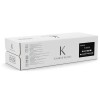
Kyocera TK-8725K, Toner Cartridge Black, TASKalfa 7052ci, 8052ci- Original
Excl. Tax: Incl. Tax:Add to Wishlist -
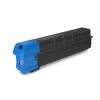
Kyocera TK-8725C, Toner Cartridge Cyan, TASKalfa 7052ci, 8052ci- Original
Excl. Tax: Incl. Tax:Add to Wishlist -
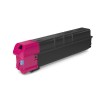
Kyocera TK-8725M, Toner Cartridge Magenta, TASKalfa 7052ci, 8052ci- Original
Excl. Tax: Incl. Tax:Add to Wishlist -
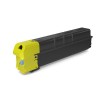
Kyocera TK-8725Y, Toner Cartridge Yellow, TASKalfa 7052ci, 8052ci- Original
Excl. Tax: Incl. Tax:Add to Wishlist
Products Questions:
There are no product questions yet.
Please login in to your account to place a question

